Shopify vs WooCommerce: Which Platform Fits Your Business?
· By Religh
Choosing between Shopify and WooCommerce changes how you pay for the store, how much you can customize and who keeps it running. Compare the costs and constraints against the business you actually operate.
Read the guide
Choose Shopify for a managed foundation and a lean direct-to-consumer (DTC) operation. Choose self-hosted WordPress + WooCommerce when custom workflows justify owning the technical upkeep.
Search Field Notes
A useful next read.
37 field notes
No matching guide yet. Try “checkout”, “shipping” or “catalog”.
All Field NotesShopify or WooCommerce: what are you buying?
A platform decision becomes expensive when the store’s commercial rules are discovered after the build. The important questions are practical: who can buy, which price they see, how they pay, what happens after an order, and who fixes a failed integration. Start there. A cheaper subscription will not compensate for an order flow your team has to repair by hand.
Shopify is hosted software as a service. You subscribe to a managed commerce platform, configure the storefront and add apps or integrations. Hosting and platform updates are part of the service. Your team still owns catalog quality, merchandising, app configuration and daily trading. A managed platform reduces infrastructure work; it does not remove the need to run the store properly.
WooCommerce is an open-source commerce platform for WordPress. You choose the hosting, theme, extensions and implementation partner. That gives a business more direct control over its code and deployment. It also creates a maintenance responsibility: somebody must own compatibility, backups, recovery and the checkout after updates. This article refers to self-hosted WordPress with WooCommerce, rather than a particular WordPress.com plan.
| Business requirement |  Shopify Shopify |  WooCommerce WooCommerce |
|---|---|---|
| Hosting & platform updates | ShopifyA managed foundation. Hosting and core platform updates are included. Review your theme, apps and workflows when functionality changes. | WooCommerceA stack you operate. Select the host and arrange WordPress, WooCommerce, theme and extension updates, with a recovery plan. |
| Storefront & buying rules | ShopifyBuild with themes, apps and supported APIs. Confirm plan and extension limits before promising a custom checkout or unusual product workflow. | WooCommerceChange code and extend WordPress where necessary. Custom behavior still needs a scoped build, compatibility checks and ongoing ownership. |
| Content & catalog | ShopifyA built-in CMS and commerce admin. Validate the required editorial, product and international workflows with the actual team. | WooCommerceCommerce within the WordPress content ecosystem. Useful when the store and a substantial existing content operation need to work together. |
| ERP, stock & fulfillment | ShopifyUse an app or API integration. Check data access, rate limits, sync direction and the process for recovering missed updates. | WooCommerceUse an extension or a custom connector. Define the same ownership and recovery rules; code access alone does not make a connector reliable. |
| Support responsibility | ShopifyShopify supports its platform. Theme, third-party app and bespoke implementation support can involve separate suppliers. | WooCommerceSupport is shared between the host, extension vendors and your technical team. Put incident ownership and response expectations in writing. |
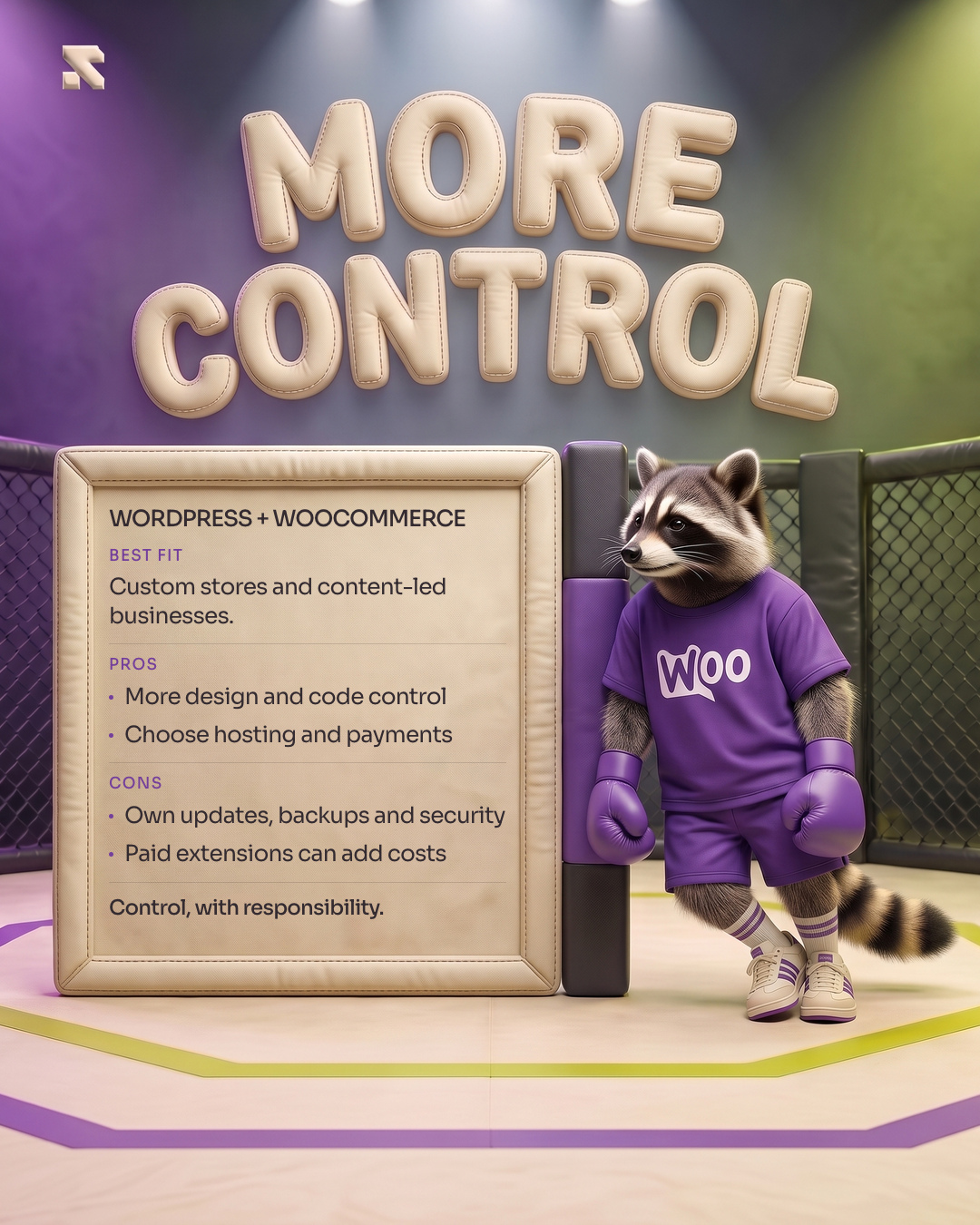

Shopify vs WooCommerce pricing: compare the full cost.
Total cost of ownership (TCO) includes the build, recurring software, hosting, payments and the people keeping the operation healthy. A fair quote comparison uses the same catalog, payment methods, buying rules and support expectations on both platforms. It also separates launch costs from the amount required to trade every month.
| Shopify plan | Billed annually¹ | Billed monthly |
|---|---|---|
| Basic | $29/month · $348/year | $39/month |
| Grow | $79/month · $948/year | $105/month |
| Advanced | $299/month · $3,588/year | $399/month |
¹ Monthly equivalent with annual billing. USD, non-promotional US prices. These figures are subscriptions, not complete store budgets. Check Shopify’s current prices and plan inclusions.
WooCommerce has no core platform subscription. Its published pricing guidance puts hosting at $25–$350/month for most stores and paid extensions at $29–$299/year each. Those are vendor ranges. They do not establish the hosting specification, number of licenses or maintenance effort your particular store needs. Free extensions also exist; a paid extension is justified by the requirement it solves.
| Cost item | Shopify | WooCommerce |
|---|---|---|
| Platform & hosting | ShopifyThe selected plan includes hosting. Budget the plan that supports the actual requirements, rather than assuming Basic will cover every workflow. | WooCommerceCore platform: $0 subscription. Hosting is separate; choose capacity, backups and support for the workload. |
| Apps & extensions | ShopifyList the exact apps needed for subscriptions, search, wholesale or integrations and check each billing model. | WooCommerceList the required licenses, renewal dates and compatibility obligations. A marketplace price does not include custom implementation. |
| Technical care | ShopifyAllow for theme changes, app issues, integration monitoring and support outside the core platform. | WooCommerceAllow for staging, updates, checkout regression checks, monitoring and tested restore capability. |
- Build or migration
Design, configuration, data work, integrations, testing and team handover.
- Platform, hosting & licenses
Twelve months of the required plan, hosting, apps and extension renewals.
- Payment processing
The actual payment mix, merchant country, order count and eligible fees.
- Care & operational time
Support, maintenance and recurring manual work the team still has to perform.
Ask for an implementation proposal and a twelve-month operating estimate. Keep exclusions visible: domain, taxes, initial design, custom development and payment charges. Our WooCommerce development cost guide and maintenance cost guide break those scopes down. The same discipline makes a Shopify proposal easier to assess.
Payment fees can change the economics.
Processing fees and additional platform fees are different charges. Shopify Basic lists US online standard-card processing at 2.9% + 30¢. WooPayments lists US card processing at 2.9% + 30¢. The matching base rate does not mean every merchant’s bill will match: card categories, international payments, currency conversion, subscriptions, disputes and refunds can change the cost. Shopify rates · WooPayments US rates.
| Input or calculation | Illustrative amount |
|---|---|
| 1,000 orders × $50 final collected amount | $50,000 processed in the month |
| $50,000 × 2.9% + 1,000 × $0.30 | $1,750 in base processing fees |
| If $50,000 is eligible for Basic’s 2% third-party fee | $1,000 additional platform fee |
This is arithmetic using stated assumptions, not a client result or a merchant quote. No international, FX, subscription, refund or dispute charges are modeled. The third-party row is a separate conditional scenario.
The additional third-party fee is not added to ordinary Shopify Payments transactions. Where it does apply, it sits beside the external provider’s processing fee; documented exemptions matter. Shopify’s fee base includes applicable tax and shipping after discounts. Use the current billing rules, rather than applying 2% to every sale without checking the payment route.
Check provider eligibility before selecting the platform. Shopify Payments availability depends on the business location and eligible business category. If the planned provider cannot support the merchant, reprice the real alternative. A US pricing example should not become an assumption about a business registered in another market.
SEO and conversion: evaluate the implementation.
Neither platform is a shortcut to profitable acquisition. A useful Shopify vs WooCommerce SEO comparison looks at the catalog, category structure, crawlable URLs, content quality, structured data and redirect plan. Google’s ecommerce guidance describes these foundations without selecting a platform winner. If an existing store already earns traffic, protect its valuable pages and URL relationships during a move.
Measure page experience with real users where data is available. Google’s Core Web Vitals thresholds give a common reference: loading, responsiveness and visual stability at the 75th percentile, with mobile and desktop assessed separately. These are targets to evaluate, not scores we measured for the two platforms.
- LCP · loading
- ≤ 2.5 s
- INP · responsiveness
- ≤ 200 ms
- CLS · stability
- ≤ 0.1
Keep commercial measurement close to the buying journey. Track product-to-cart progression, checkout completion, average order value (AOV), refunds and contribution margin after product, fulfillment, payment and acquisition costs. Segment by device and channel. A faster page or a higher conversion rate can be useful, but it needs to improve the economics of the business. A generic “platform X converts better” statistic cannot tell you where your own customers get stuck.
Prove the checkout, wholesale and integration requirements.
Checkout customization is a specific technical requirement, not a yes/no feature. Shopify’s UI extensions for the information, shipping and payment steps require Plus. Basic branding and other checkout capabilities have different rules. Describe the exact field, delivery condition or interaction you need, then confirm the supported route and plan before quoting the build.
Wholesale comparisons also need current information. Since April 2, 2026, Shopify Basic, Grow and Advanced include native B2B capabilities, with up to three active catalogs assigned through Markets. Unlimited catalogs and direct catalog assignment to companies and locations remain Plus features. “Shopify B2B is always Plus-only” is no longer a sound basis for the decision.
For either platform, map customer-specific pricing, pack quantities, payment terms, tax treatment and order approval. Then demonstrate a representative trade order through checkout and fulfillment. For an ERP connection, name the system of record for customers, prices, stock and orders; agree what happens when an update fails. Our wholesale planning guide and integration planning guide provide useful questions for that scoping work.
Which platform fits your business?
A lean DTC team. If the priority is a conventional product catalog, a supported payment setup and a store the team can operate with limited infrastructure work, Shopify deserves a serious look. Confirm the required apps and the operating bill before treating the plan price as the full cost.
An established WordPress or content-led business. WooCommerce can make sense when commerce needs to work closely with an existing WordPress operation or when custom buying logic materially supports the business. Assign a technical owner and fund maintenance as part of the operating model.
A wholesale or operationally complex store. Shortlist both against a written requirements matrix. The deciding factor may be a particular catalog rule, payment arrangement or integration dependency. Build a small proof of the hardest requirement before committing to the complete implementation.
A store that is already trading. Compare improving the current setup with the full cost and disruption of migration. Include data mapping, app replacements, URLs, payment continuity, testing and handover. Our Shopify to WooCommerce migration decision guide focuses on that separate question. Moving platforms is worthwhile when it solves a defined constraint and the resulting operation can be supported.
The final decision should leave you with a clear operating plan: required workflows, validated platform capabilities, a realistic first-year budget, an accountable support owner and launch acceptance criteria. That is a stronger foundation for growth than choosing from a feature count or the lowest advertised monthly figure.
Common questions
Is WooCommerce cheaper than Shopify?
It can be, but free core software does not make a complete store free. Compare the required hosting, apps or extension licenses, payments, maintenance and implementation on a like-for-like annual basis. Include the team’s recurring manual work.
Which platform is better for SEO?
Both require useful content, a crawlable catalog, appropriate structured data and a good mobile experience. Evaluate the actual implementation and preserve valuable URLs when migrating. Platform choice alone does not establish a ranking advantage.
Can Shopify support a B2B store without Plus?
Basic, Grow and Advanced now include native B2B capabilities with up to three active catalogs assigned through Markets. More advanced requirements, including unlimited catalogs and direct company/location assignment, remain Plus features. Match the actual wholesale rules to the current plan documentation.
Who maintains a WooCommerce store after launch?
The owner’s technical team or appointed partner should have explicit responsibility for updates, backups, staging, monitoring and incident handling. WooCommerce’s update guidance recommends a current backup, staging tests and checks of store workflows after changes.
Sources & pricing notes
Official sources checked October 17, 2026. Prices are USD figures for US merchants; availability, local rates, taxes and contract terms vary. Illustrative arithmetic is identified separately from published facts.
- Shopify plans, billing and US card rates
- WooCommerce core, hosting and extension guidance
- WooPayments US fees
- Shopify third-party transaction fee rules
- Shopify Payments merchant-country eligibility
- Shopify checkout UI extension restrictions
- Shopify B2B update, April 2, 2026
- WooCommerce update and recovery guidance
- Google ecommerce search guidance
- Google Core Web Vitals thresholds
Shopify and Woo brand marks belong to their respective owners. This is an independent editorial comparison.